Liminal Crates
Your music, crated. Built for Windows.
Windows needs a beta code · phone is waitlist · Downloads · Privacy Policy
Everything you need for v1 beta
Windows desktop beta is available with an access code. Phone companion is on the waitlist — coming soon.
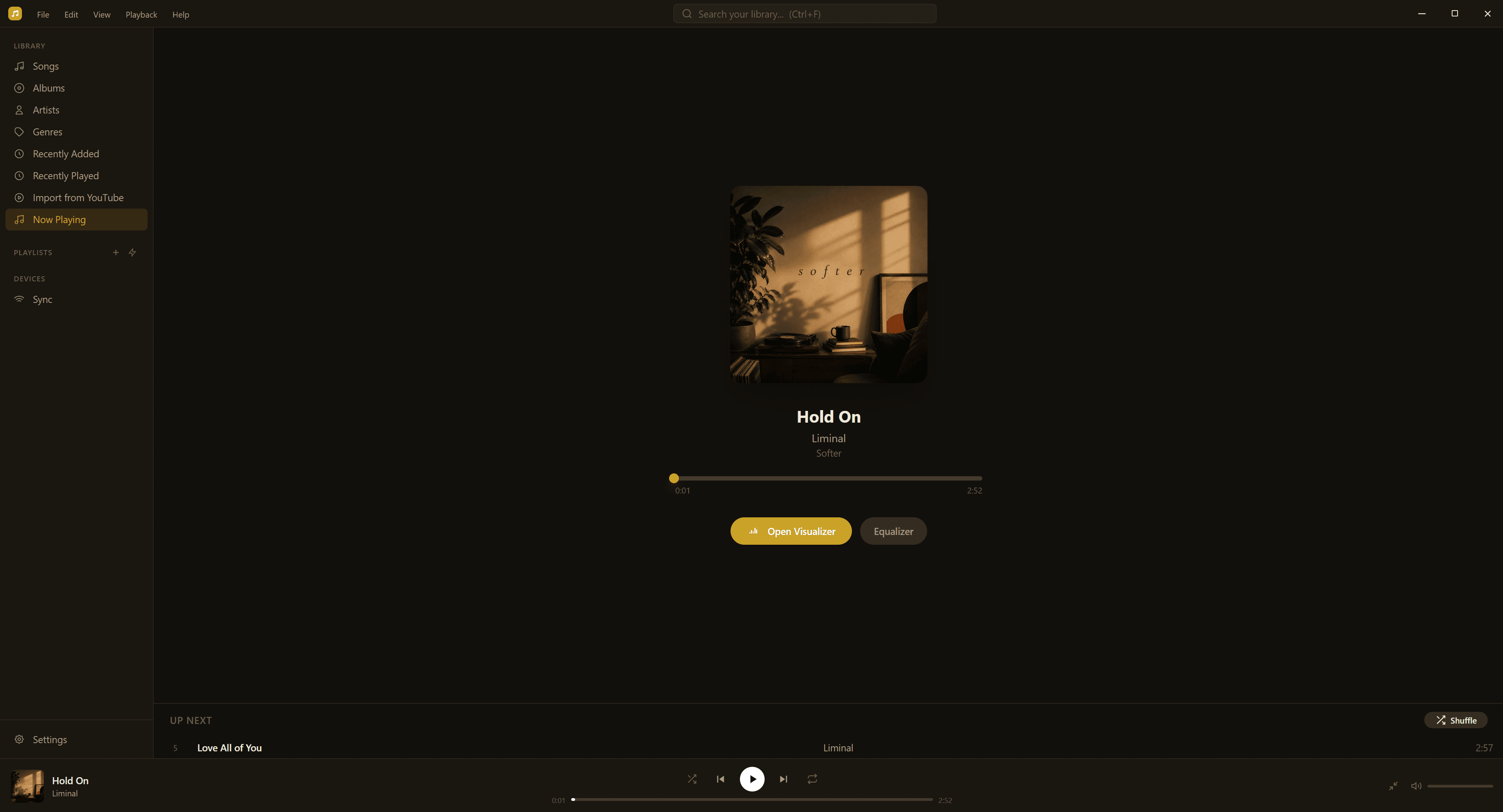
Full Music Player
Gapless playback, 10-band equalizer, audio visualizer, queue with shuffle & repeat, OS media keys, and a floating mini player.
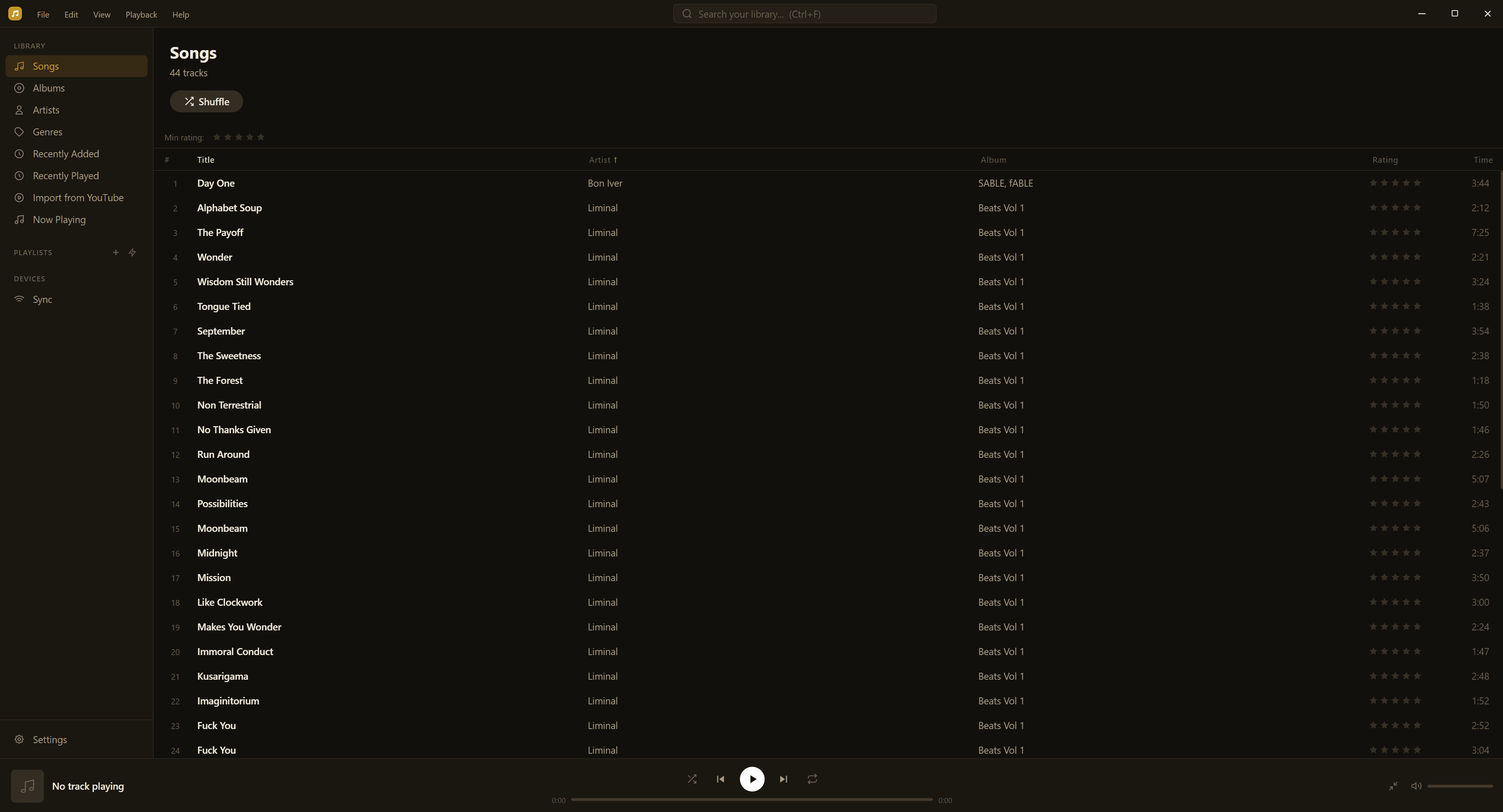
Smart Library
Watch folders, drag-and-drop import, duplicate finder, star ratings, Recently Added/Played, and virtualized lists for huge libraries.
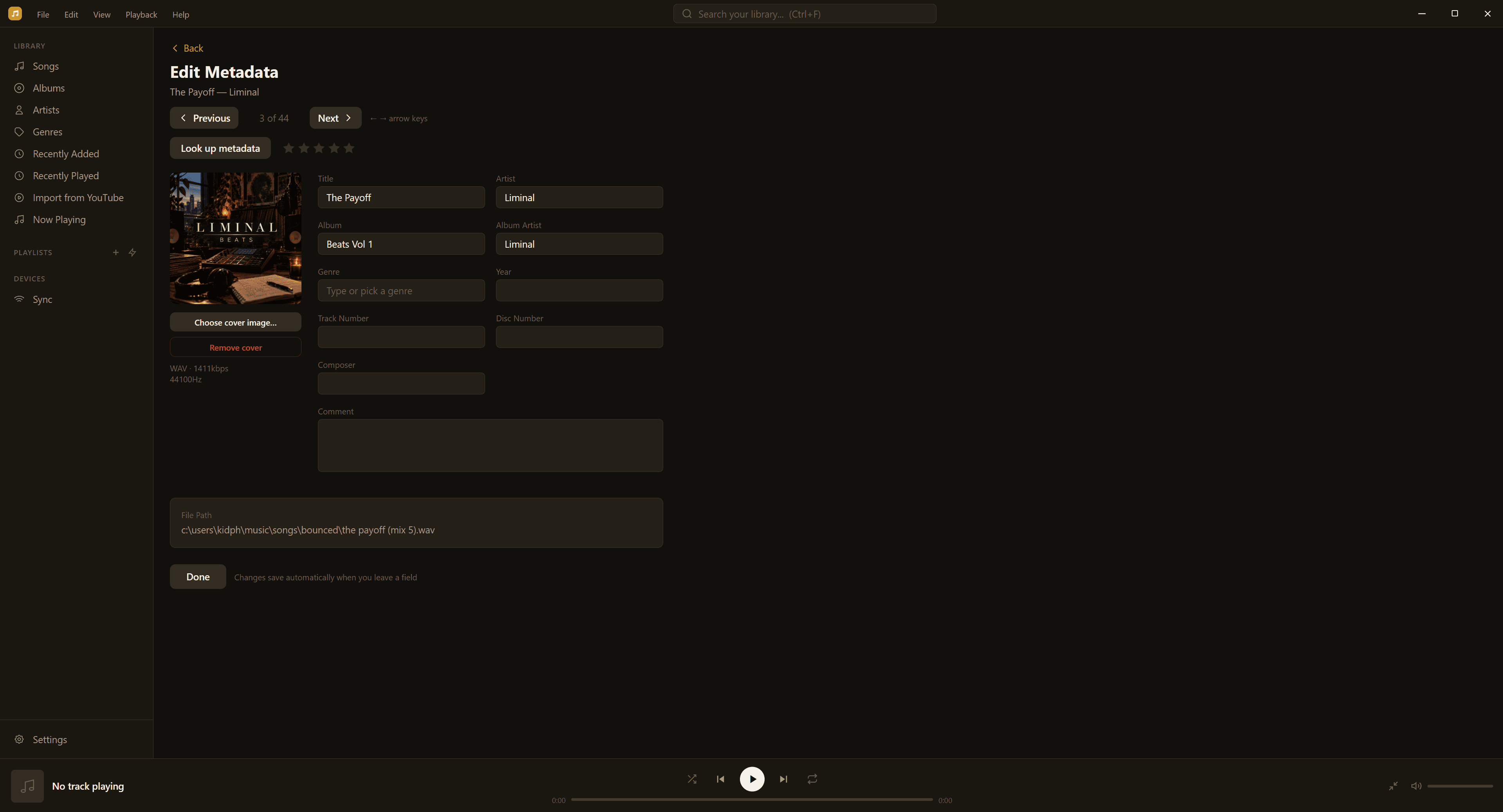
Metadata Editor
Batch-edit tags, embed artwork, and write changes back to your files — MP3, FLAC, AAC, and more.
Playlists
Manual and smart playlists with live rules, drag reorder, M3U import/export, and full queue management.
Format Converter
Convert tracks in your library between common audio formats (for example MP3 ↔ M4A) while keeping them in your crate.
YouTube Import (optional)
Paste a YouTube URL to import audio into your local library. You are responsible for having the rights to download and use that content.
Podcasts
A full podcast library and explorer — browse Apple's top charts and categories, follow shows, stream or download episodes for offline listening, and sync subscriptions and listen progress between desktop and phone. No account or API key needed.
Phone companion — coming soon
iOS & Android app with Wi-Fi/USB sync is in private testing. Join the waitlist — not a public store download yet.
Local-First & Private
Your files stay on your machines. No cloud accounts required. Pairing (when phone beta opens) stays on your network.
Formats & Quality
Native playback for MP3, FLAC, AAC, M4A, OGG, WAV, AIFF, and WMA on Windows — convert when you need a different format.
See it in action
Windows desktop beta is live. Phone companion is coming soon — join the waitlist.
Desktop — Library & player
Browse songs, albums, artists, and genres. Full playback bar with queue, shuffle, repeat, and a floating mini player.
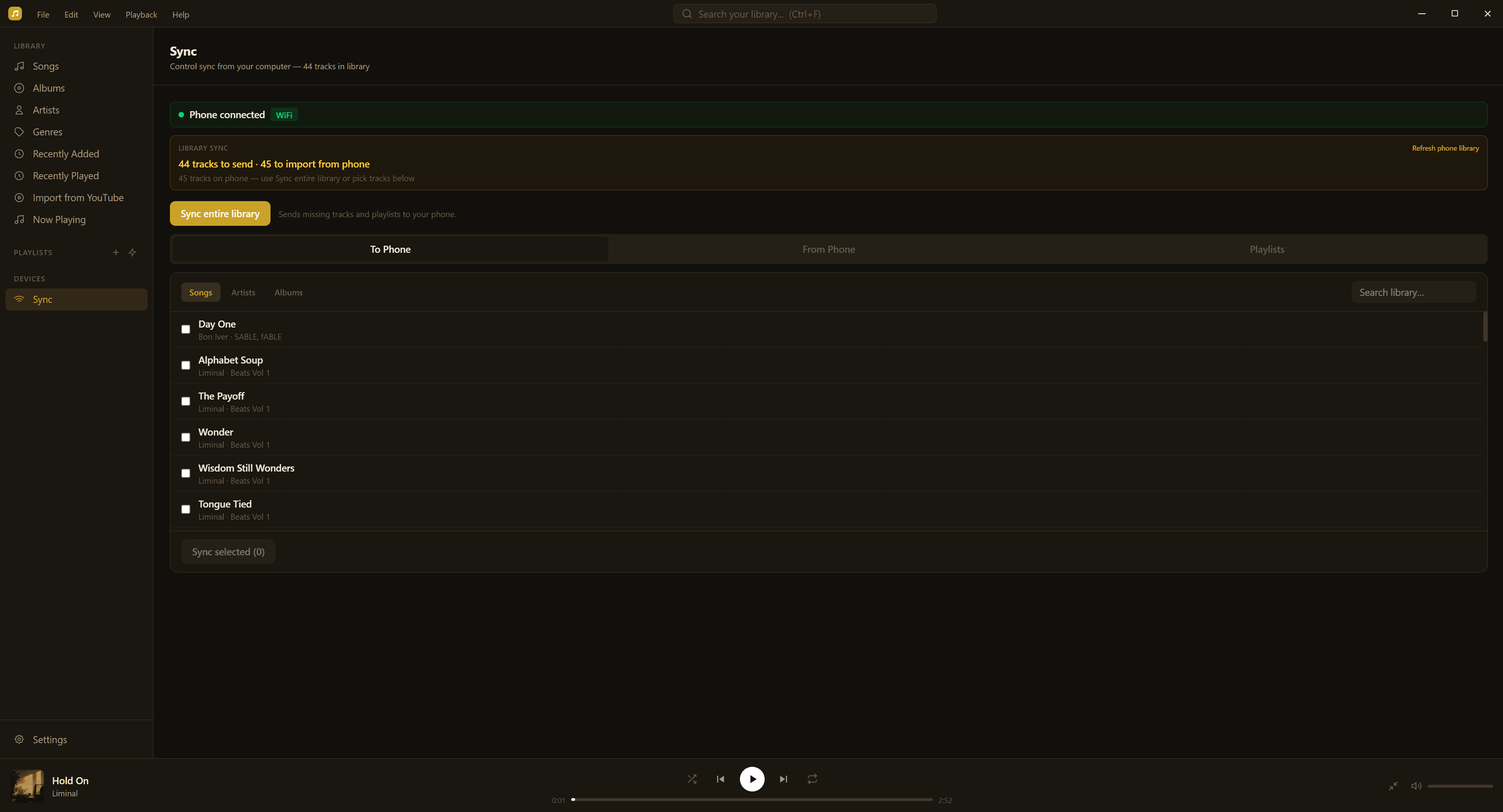
Desktop — Sync hub (phone coming soon)
The Windows app already includes the sync hub. Phone pairing opens with the iOS/Android beta — join the waitlist.
Desktop — Metadata & tools
Edit tags in bulk, embed artwork, convert formats in your library, and optionally import audio from a YouTube URL when you have the rights.
Desktop — Podcasts
An Apple Podcasts–style explorer built in: browse top charts and categories, preview any show before following, stream or download episodes, rate shows, and pick up where you left off. Subscriptions and listen progress sync to the phone companion.

Phone — Coming soon
iOS & Android companion for playback and sync is in private testing. Join the waitlist — not available on the public App Store or Play Store yet.
Join the waitlist →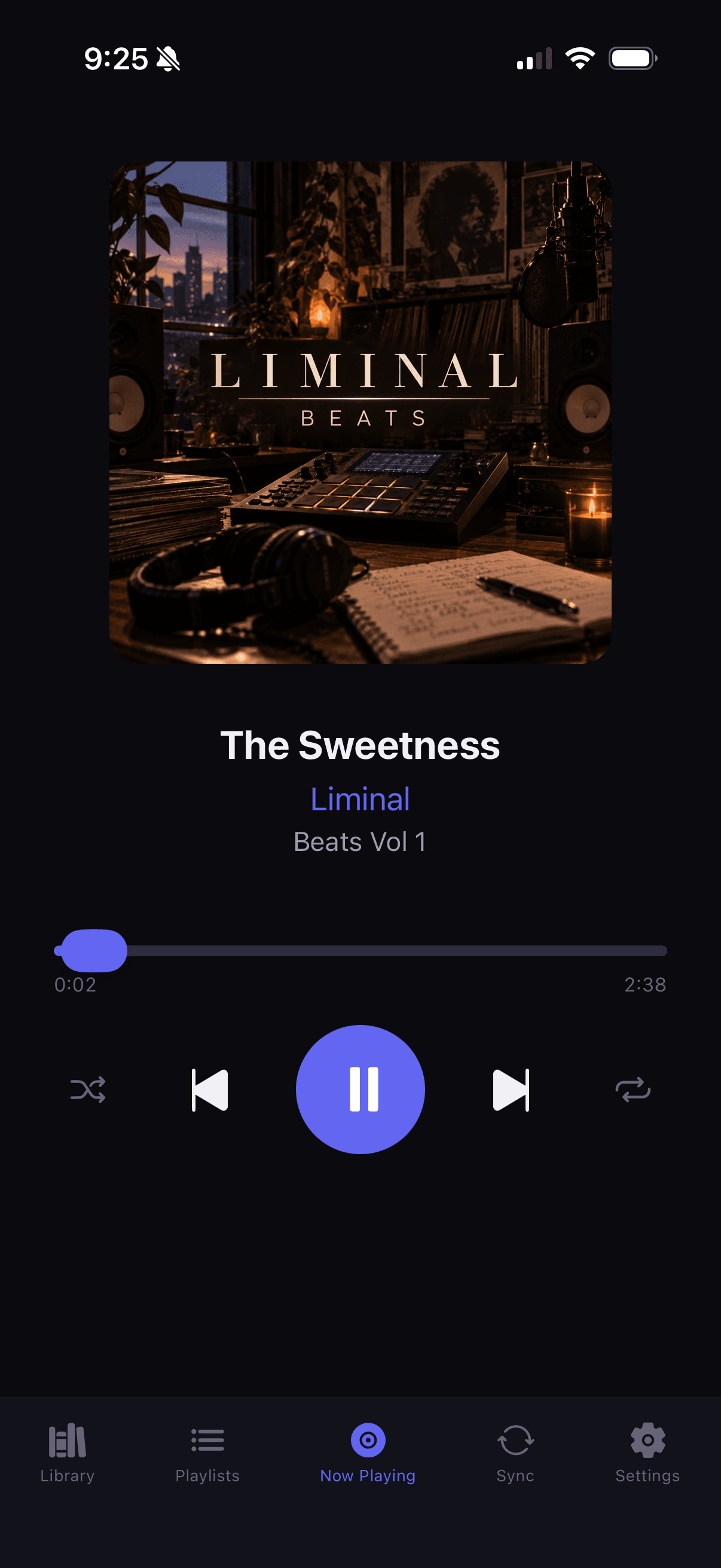
Phone sync — Coming soon
Wi-Fi and USB sync with the desktop hub ships with the phone beta — including your podcast subscriptions and listen progress. Join the waitlist for an invite.
Join the waitlist →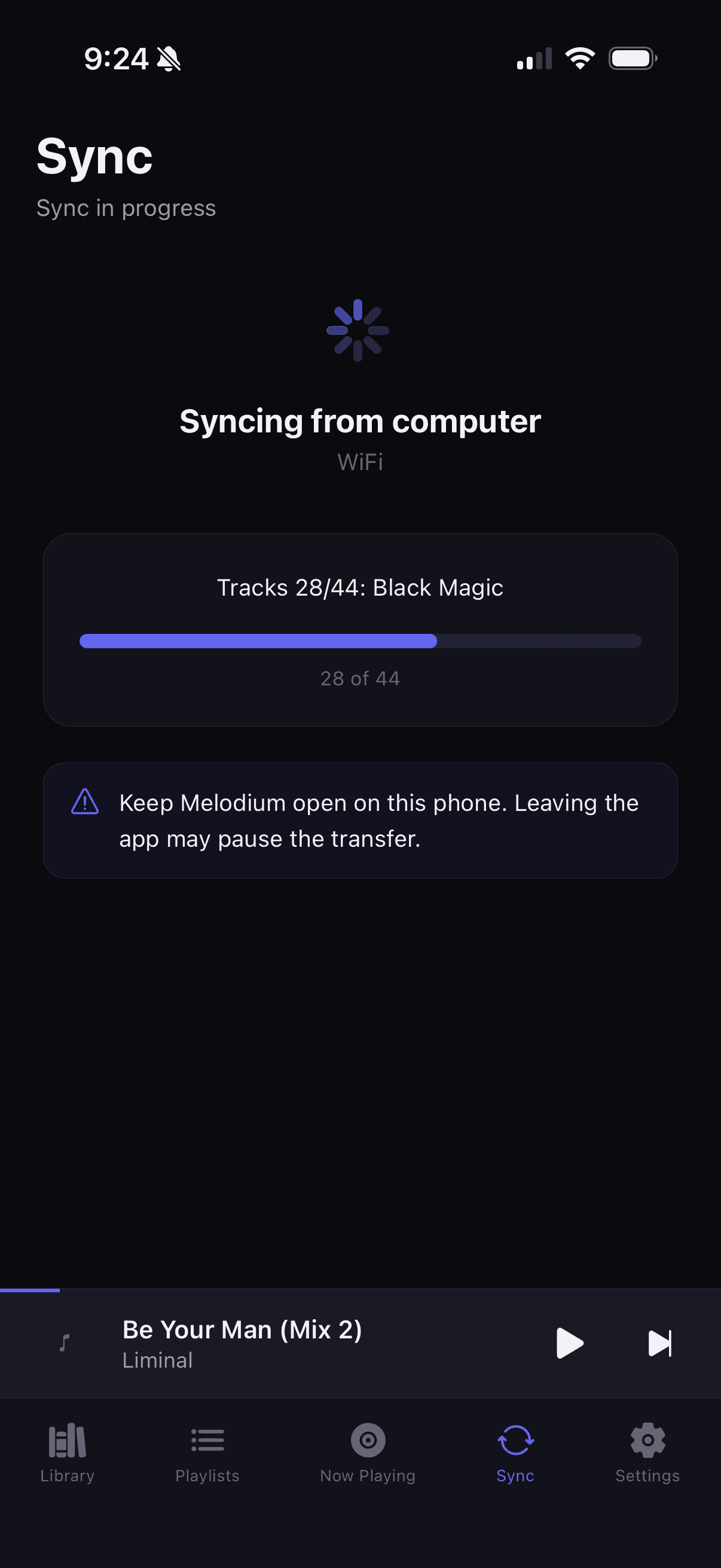
How it works
Get started in four steps — no account required.
Install Windows
Download Liminal Crates for Windows with your beta access code (~220 MB download, ~700 MB installed).
Import
Add watch folders, drag in files, convert formats if needed, or optionally import from a YouTube URL you have rights to use.
Organize
Fix metadata, build playlists, rate tracks, and weed out duplicates.
Phone later
Join the waitlist for the phone companion. Sync ships with that beta — not a public store download today.
Ready to try the beta?
Download Windows with a beta code, or join the waitlist for the phone companion.